
Previz for grandMA3.In one window. Ready in minutes.
QTracks is the free previz and timecode studio for grandMA3. Drop in a song and stems, place your markers, export a grandMA3 macro, then stream LTC or MTC into the console as your playhead while you program. The three-app chain — player, router, converter — now one window.
The three-app problem
Stop juggling three apps to start one show.
A typical previs or playback chain today looks like this:
- 1A timecode app to play the song and output LTC
- 2A virtual routing tool to split audio vs LTC channels
- 3An LTC → MTC converter, if the desk wants MIDI timecode
One app. One project file. Timecode ready in minutes.
What QTracks ships with
Six tools that used to be three apps and a spreadsheet.
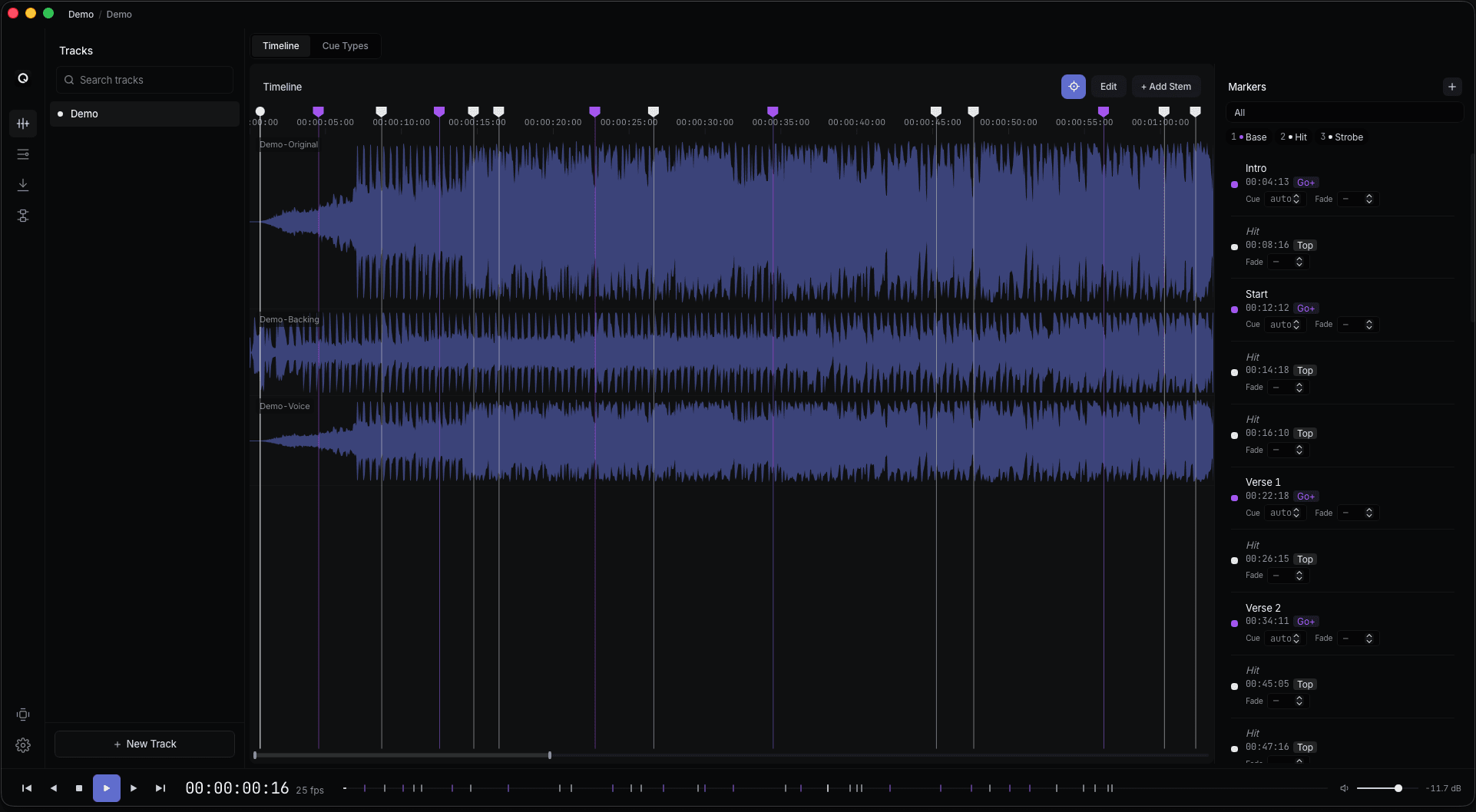
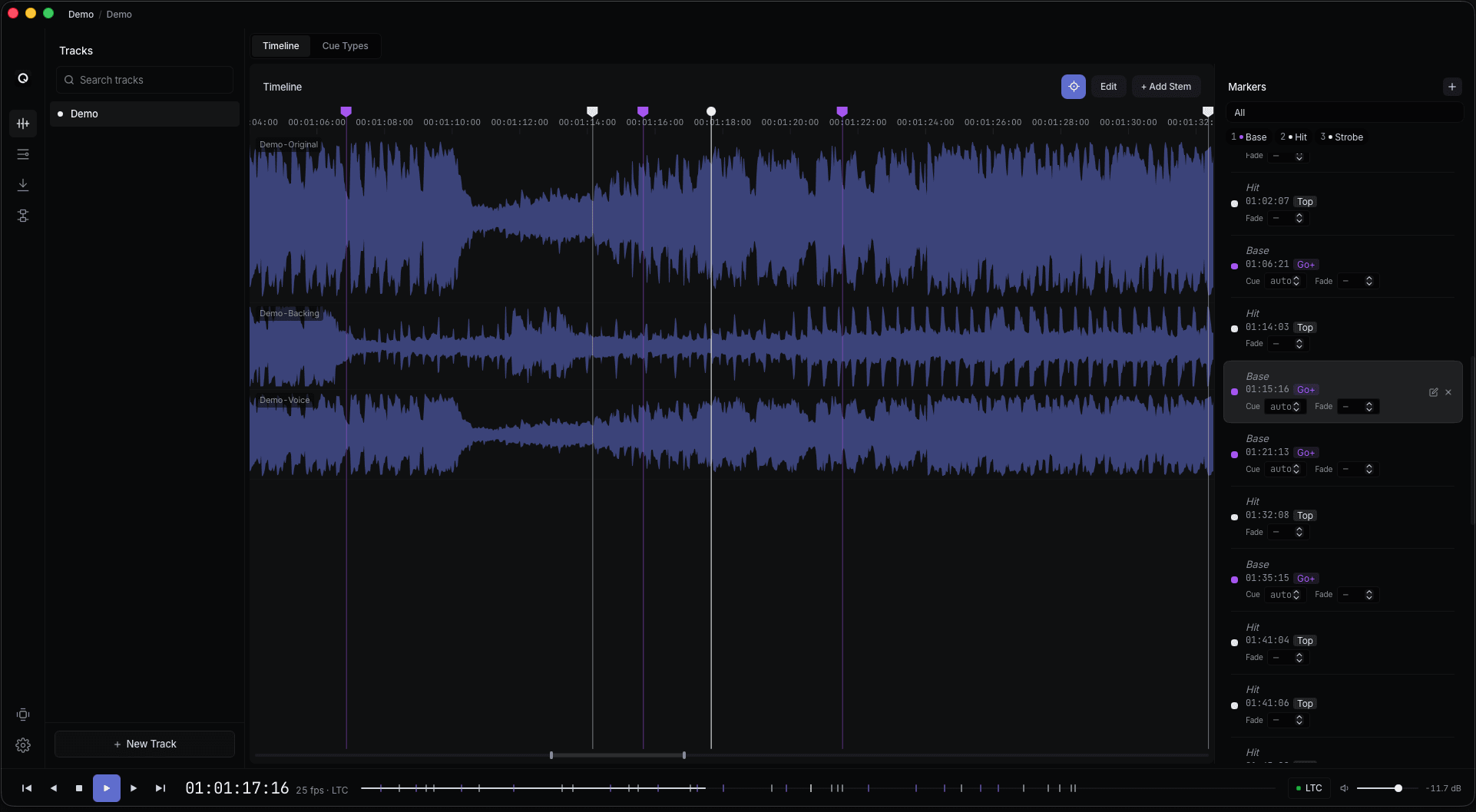
Song + marker timeline
Drop in the song and its click, place markers on hits and structure changes, group them by cue type. Stems work when you need them, and markers stay locked to the song.
Frame-accurate timecode
Generate LTC into any audio output and MTC over MIDI, at 24, 25, 29.97 drop-frame, or 30 fps. Per-track offsets line you up with whatever the band's SMPTE is doing.
Visual routing
A drag-and-drop mixer that picks how timecode reaches your console. MTC over a virtual or physical MIDI port. LTC into an audio device feeding a console's LTC input. Both at once if your setup wants it.
grandMA3 macro export
Export one macro that scaffolds grandMA3: sequences, cues, pools, and timecode events, all tied to your markers. QTracks builds the rails; you program the lights.
Playhead for programming
Press play and QTracks streams timecode straight into grandMA3. onPC or a real desk advances the cue list while you program, so your hands stay on the lighting, not the transport.
Crash-safe by design
QTracks autosaves every 30 seconds. After a power blip or forced restart, reopen the app and pick up where you left off.
Markers that survive every stem move.
Markers belong to the song, not to a stem. Slide a backing track, swap a vocal take, replace the click, and your markers stay exactly where you put them. On export, each marker becomes a timecode event and an empty cue in grandMA3.
- Place, nudge, and snap markers to the frame
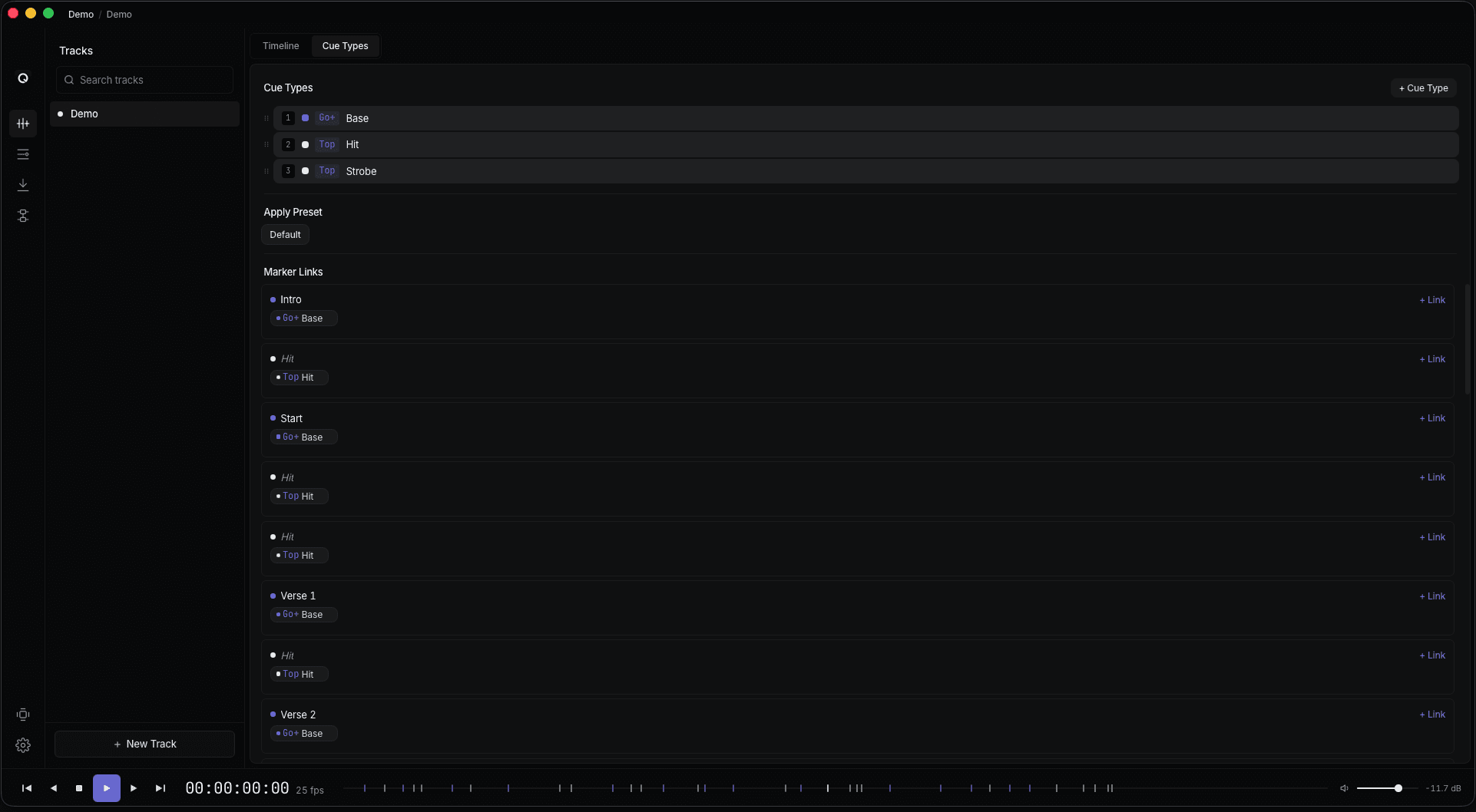
- Color-grouped marker types so you can scan the timeline at a glance
- Per-stem trim, offset, mute, solo, and volume, with originals untouched
- Waveform preview per stem with sub-frame snapping
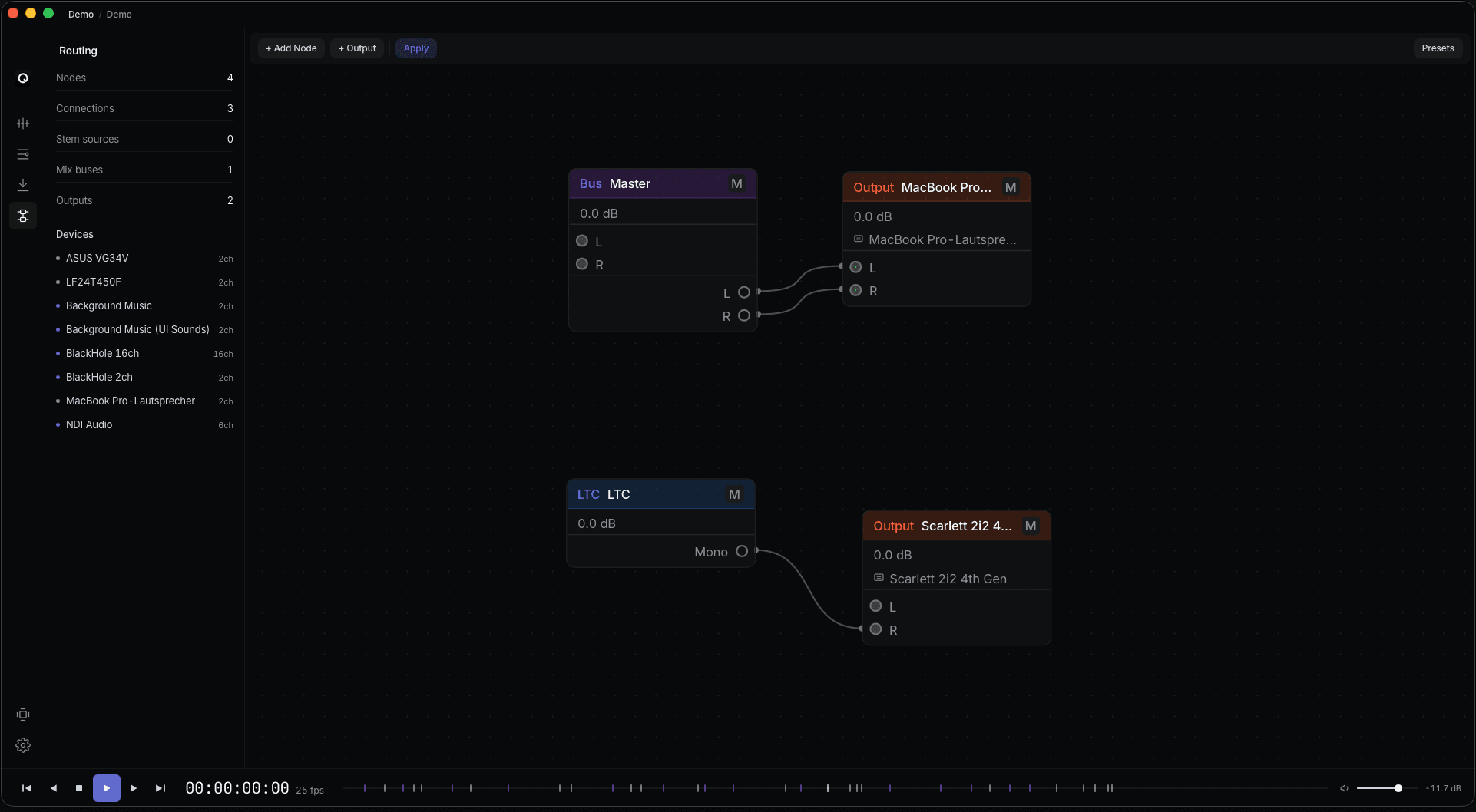
Pick your own path to the console.
Drop the song, stems, mix buses, LTC and MTC sources, and outputs onto the canvas, then wire them up. MTC over a virtual MIDI port to grandMA3 onPC, LTC into an audio device that feeds a real desk's LTC input, or both — your setup, your call. Reopen the project next time and every connection is already where you left it.
- MTC over a virtual or physical MIDI port (to grandMA3 onPC)
- LTC into an audio device feeding a console's LTC input
- Program audio to your monitors or headphones at the same time
- Save routing presets per project and recall in one click
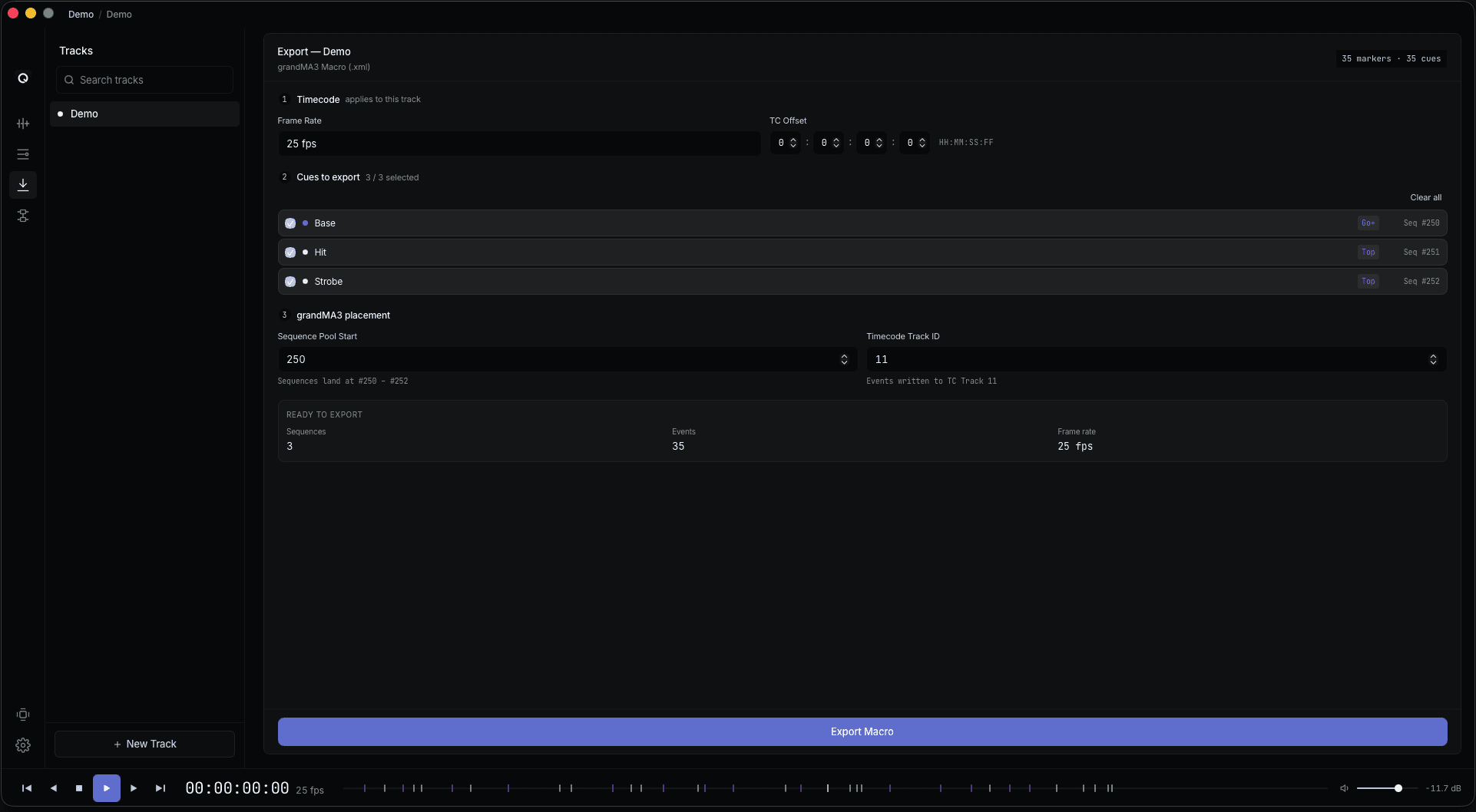
One macro scaffolds the whole show.
Export a macro that builds grandMA3 out for you: sequences, cues, timecode pools, and timecode events, all tied to your markers. Run it once and the console has the structure you need, with empty cues ready for programming. QTracks builds the rails; you program the lights.
- Per-track or merged timecode pool layout
- Offset by frames or absolute positions
- Configurable sequence pool start plus per-track increment
- Reserves a chosen executor page for manual busking
Press play. Watch grandMA3 catch up.
While you're building the show inside grandMA3, hit play in QTracks and timecode streams straight into the console. The cue list advances in time with the song, so you can watch cues fire, tweak the look, and keep your hands on the lighting instead of on the transport. Autosave every 30 seconds means a laptop crash costs you seconds, not the whole session.
- Spacebar play, [ and ] to jump between markers
- Seek to any marker and the console follows
- Audio playback to headphones or monitors while you program
- Autosaves every 30 seconds and reopens where you left off
Specifications
Built for the previz studio. Documented for a tech rider.
Audio formats
- Imports
- WAV · FLAC · MP3 · AAC
- Sample rates
- 44.1 / 48 / 88.2 / 96 / 176.4 / 192 kHz
- Bit depth
- 16 · 24 · 32-float
- Resampling
- High-quality sinc
Timecode
- LTC frame rates
- 24 · 25 · 29.97 DF · 29.97 NDF · 30
- LTC output
- Any audio device channel pair
- MTC output
- Any system or USB MIDI port
- Latency comp.
- Per-track, per-output (frames)
Routing
- Outputs
- Multi-device, multi-channel
- Routes
- Stems · mix buses · monitor buses · LTC · MTC
- Presets
- Per-project and system-wide
- Performance
- Glitch-free playback, tested across long sessions
System
- macOS
- 10.15 Catalina or newer · Universal binary
- Windows
- 10 / 11 · x64
- Linux
- Ubuntu 22.04+ · AppImage
- Autosave
- Every 30 seconds, recovers after a crash
Guides & comparisons
Everything you need to timecode a grandMA3 show.
How to send timecode to grandMA3
LTC vs MTC, frame rates and drop-frame, grandMA3 onPC without hardware, and the fastest way to program a timecoded show.
The free CuePoints alternative
How QTracks compares to CuePoints for grandMA3 operators — honestly, including where each one wins.
LTC to MTC on Windows & Linux
Lockstep is macOS-only. QTracks gets MTC and LTC into grandMA3 on every platform, for free.
Frequently asked
Questions you'd ask before installing.
Stop juggling three apps.
Previz in one window.
Free to download. No account, no licence key, and the app never phones home.